Bookkeeping and accounting for beginners
Quick answer
This playlist is a beginner bookkeeping course. Accounting Stuff explains the accounting equation, debits and credits, journals and the ledger in short lessons, while Xero and QuickBooks show invoices, expenses, bank reconciliation and how to read a profit and loss statement. Play all on repeat to work through it, or Repeat one on a topic you find hard.
Videos in this playlist
- 1
 ACCOUNTING BASICS: a Guide to (Almost) EverythingAccounting StuffPlay from here Loop
 - 2
 Small Business Accounting Explained in Four MinutesXero Accounting SoftwarePlay from here Loop
 - 3
 Overview of accounting & bookkeeping basics in QuickBooks OnlineIntuit QuickBooksPlay from here Loop
 - 4
 BOOKKEEPING BASICS: 7 Steps to Get You StartedAccounting StuffPlay from here Loop
 - 5
 How To Start Bookkeeping (FREE Template)Accounting StuffPlay from here Loop
 - 6
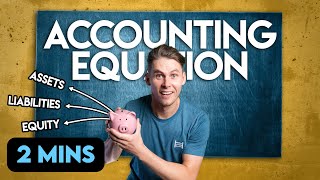 ACCOUNTING EQUATION: Explained in (Almost) 2 Minutes!Accounting StuffPlay from here Loop
 - 7
 DOUBLE-ENTRY ACCOUNTING: Explained in (Almost) 2 Minutes!Accounting StuffPlay from here Loop
 - 8
 DEBITS & CREDITS: Explained in (Almost) 2 Minutes!Accounting StuffPlay from here Loop
 - 9
 ASSETS, LIABILITIES & EQUITY: Explained in (Almost) 2 Minutes!Accounting StuffPlay from here Loop
 - 10
 CHART OF ACCOUNTS: Explained in (Almost) 2 Minutes!Accounting StuffPlay from here Loop
 - 11
 JOURNAL ENTRIES: Explained in (Almost) 2 Minutes!Accounting StuffPlay from here Loop
 - 12
 GENERAL LEDGER: Explained in (Almost) 2 Minutes!Accounting StuffPlay from here Loop
 - 13
 TRIAL BALANCE: Explained in (Almost) 2 Minutes!Accounting StuffPlay from here Loop
 - 14
 CASH VS ACCRUAL ACCOUNTING: Explained in (Almost) 2 Minutes!Accounting StuffPlay from here Loop
 - 15
 Accounting terms you need to know | QuickBooks OnlineIntuit QuickBooksPlay from here Loop
 - 16
 Cloud Accounting Basics | XeroXero Accounting SoftwarePlay from here Loop
 - 17
 Invoices: What You NEED TO KNOWAccounting StuffPlay from here Loop
 - 18
 How to create an invoice in 2026 + free invoice templates | QuickBooks business tipsIntuit QuickBooksPlay from here Loop
 - 19
 The best way to track expenses when you are a sole proprietorshipIntuit QuickBooksPlay from here Loop
 - 20
 How To Do A Bank Reconciliation (EASY WAY)Accounting StuffPlay from here Loop
 - 21
 Bank reconciliation can actually be funXero Accounting SoftwarePlay from here Loop
 - 22
 FINANCIAL STATEMENTS: all the basics in 8 MINS!Accounting StuffPlay from here Loop
 - 23
 How to Read a Profit & Loss StatementXero Accounting SoftwarePlay from here Loop
 - 24
 The INCOME STATEMENT Explained (Profit & Loss / P&L)Accounting StuffPlay from here Loop
 - 25
 How to Read a Balance SheetXero Accounting SoftwarePlay from here Loop
 - 26
 The BALANCE SHEET for BEGINNERS (Full Example)Accounting StuffPlay from here Loop
 - 27
 How to Read a Cash Flow StatementXero Accounting SoftwarePlay from here Loop
 - 28
 The CASH FLOW STATEMENT for BEGINNERSAccounting StuffPlay from here Loop
 - 29
 INVENTORY & COST OF GOODS SOLDAccounting StuffPlay from here Loop
 - 30
 What is inventory? Why do inventory accounting? | Small Business Guides | XeroXero Accounting SoftwarePlay from here Loop
 - 31
 DEPRECIATION BASICS! With Journal EntriesAccounting StuffPlay from here Loop
 - 32
 GROSS PROFIT MARGIN: a Simple ExplanationAccounting StuffPlay from here Loop
 - 33
 FINANCIAL RATIOS: How to Analyze Financial StatementsAccounting StuffPlay from here Loop
 - 34
 When you should hire an accountant | Small Business Guides | XeroXero Accounting SoftwarePlay from here Loop
What is the difference between bookkeeping and accounting?
Bookkeeping is recording every sale, expense and payment accurately, day to day. Accounting uses those records to produce financial statements, work out profit and tax, and help you make decisions. A small business owner can learn to do the bookkeeping and bring in an accountant for year-end and tax.
How do I practise accounting with RepeatWatch?
Pause on each example and try the journal entry yourself, then A–B loop the answer to check it. Slow down to 0.75× for debits and credits, speed through review videos at 1.25×, and save the parts of the long lessons on keys 1–9 so you can revise one concept at a time.
Frequently asked questions
Do I need accounting software?
Not at first. Many owners start with a spreadsheet or a notebook and move to software such as Xero or QuickBooks as transactions grow. The concepts in this playlist are the same whatever tool you use, so learn them before choosing.
Do the rules change by country?
Double-entry bookkeeping is used worldwide, but tax rules, VAT or sales tax, payroll and record-keeping requirements vary by country. Check your local tax authority's guidance and ask a local accountant which records you must keep and for how long.
Is this legal, tax or financial advice?
No. These videos are educational and come from the channels that published them. They are not legal, tax or financial advice for your situation. Ask a qualified accountant to check your books and tax returns.